Predict which short-form videos are more likely to drive clicks, retention, and sales.
Upload a creator or brand video. XY Video predicts where viewers may drop, why they may not click or buy, and what to fix for CTR, retention, CVR, ROI, and ROAS.
TKGMVROISupporting over +230,000 users worldwide
TKGMVROI
Built for creators and brands that need videos to convertUpload one short-form video and see why viewers may stop, click, buy, or leave.
CreatorsTikTok ShopDTCMedia buyersAgencies
Short-form video conversion predictionReal ad video
Candidate creative
Hair tool creativeShort-form video · conversion prediction
AI metric QAFrame-by-frame conversion risks
0-3s hookNo buying reason earlyLead with result or pain
Proof gapProof appears too lateMove usage proof up
CTA riskProduct prompt is lateMove CTA earlier
Fix directionFix the hook, then conversion
See where click, retention, message, lead, and sale break before deciding the next version.
1Upload video
2Predict conversion
3Find conversion risks
4Generate fix actions
Core use case
Put video, product context, and fix actions into one workflow
Upload one short-form video and context brief. XY Video predicts click, retention, message, lead, and sales risks, then shows where the conversion journey breaks and how to shape the next version.
VideoPredictionConversion risksFix actions
Short-form video conversion prediction flowHover to animate
Your creativeSkincare ad videoReal product hold + pitch · ad to predict
Product briefSkincare serum · US market · short-form ads
XY Video AITurns the ad into a conversion-risk map
0-3s hookNo result reason early
Proof gapProduct proof appears too late
CTA riskProduct prompt is not early enough
Fix directionHold the first 2s, then add the buying reason
Add product proof and a buying reason, then judge CTR, CVR, and ROAS improvement potential.
HookNo buying reason early
ProofMove evidence earlier
CTAPrompt product sooner
ROIRevise before spend
Evidence frameMove into first 3s
Product proof first
Know why the ad may not convert
The point is not a score. It is why the ad has weak clicks, retention, or conversion, and which frame, proof, or CTA to fix first.
Priority metric firstKnow whether CTR, retention, conversion, ROI, or ROAS should improve first.
See performance gapsPin issues to frames, captions, proof, CTA, and timestamps.
Hand off fix actionsGive buyers and editors conversion fixes they can use.
Conversion predictionBefore the next ad version
Creator deliveryKeepProduct proofReady to testRisk signalReady to test
Conversion-risk mapFix proof in the hook to lift CTR and hold
0-3sNo buying reason
4-9sProof appears too late
CTAProduct-card prompt is late
Fix actionsFix retention first
Move result proof and buying reason earlier, then watch clicks and conversion.
Conversion prediction boardMulti-platform short ads
Makeup proofKeep proofHair tool proofReady to testWardrobe try-onReady to testPet interaction frameReady to test
Frame-by-frame performance gaps
0-3s hookNo buying reason in the opening
Proof gapComparison or use-case proof is weak
CTA riskProduct-card prompt comes too late
Conversion-risk map
Priority metricLift CTR firstTurn weak openings into stronger buying reasons
Real adSeller / affiliate videoFrame-by-frame QAFind performance gapsMetric adviceCTR / retention / conversionLift actionsReady for buyer and editor
ROI impact simulator
See which metric to lift before deciding how to spend
Use a real ad video and basic media data to locate the biggest CTR, retention, CVR, and ROAS gap.
Ready to testReady to testReady to test
Conversion-risk opportunityFind the conversion risk first, then fix the next version
Likely revise or reject6
Budget tied to weak signals$240
Approx. prediction cost on Starter$19
Conversion prediction output
Decide where conversion is blocked before the next version
Turn one seller or creator ad video into click, retention, conversion, and ROAS risks with frame evidence.
Short-form video conversion prediction flowHover to animate
Your real ad video
9:16 pet product video
Pet accessory · US market · short-form ads
XY Video AI performance predictionFind the moments dragging performance down
Hook riskProof riskCTA risk
Fix actionsFix retention, then conversion reason
Give buyers and editors one clear fix brief.
HookNo buying reason earlyLead with resultProofProof appears too lateMove evidence upCTAProduct prompt is lateMove CTA earlierROIWeak proof wastes clicksRevise before spend
Free previewSee the biggest conversion risk and one fix action first
Unlock the full prediction reportFrame analysis · conversion risks · hook / CTA rewrites · team checklist
Pay per video prediction and see which creative is more likely to convert.
Start with one video prediction. Upgrade when creator videos, seller ads, or paid creatives become a weekly review workflow.
Single check answersWhether this creator or seller video can drive clicks, retention, and sales, and what to fix first.
Monthly plans fitWeekly creator and seller video prediction, so weak creatives are stopped before paid traffic.
1First video prediction
Use Single Ad Prediction to see whether the video is blocked at click, retention, or conversion.
2Weekly creative screening
Use a monthly plan when creators, sellers, buyers, and clients need repeatable video decisions.
Best first conversion prediction
Single Ad Prediction
Predict one real short-form ad for CTR, retention, CVR, ROI, and ROAS improvement.
$2.99
1 ad video prediction
Free top performance break preview
CTR / CVR / retention / ROAS advice
Frame-by-frame + caption/script analysis
Cheaper at 7+ reports/mo
Starter Monthly
For creators, solo buyers, and small brands deciding which videos can drive clicks and sales each week.
$19/mo
20 conversion predictions / month
For around 5 video reviews each week
Full video conversion prediction reports
Speech/caption/script signals
Best for teamsFor weekly ad review workflow
Growth Monthly
For sellers, media buyer teams, and agencies screening creator and paid-ad videos in batches.
$49/mo
80 conversion predictions / month
For batch creator and ad screening
Click / retention / lead / sales advice
Copyable team handoff reports
Plan comparisonChoose by monthly creative volume
PlanCreditsIncludesBest forSingle Check1 checkFree preview + full reportBest for the first validationStarter Monthly20/moSpeech/caption signals + key-frame analysisBest for weekly conversion predictionGrowth Monthly80/moBatch conversion prediction + team handoffBest for a repeatable team workflow
What is XY Video?
XY Video is a short-form video conversion prediction tool for creators, sellers, and paid-media teams. Upload one creator or brand video to see what hurts clicks, retention, messages, leads, and sales, then get next-version fix actions.
Prediction signals
XY Video combines creative structure, hook, product clarity, proof, pacing, CTA, price/commission, clicks, retention, conversion, and ROAS.
Best-fit teams
Built for TikTok creators, affiliates, ecommerce brands, TikTok Shop sellers, media buyers, agencies, and UGC teams.
Workflow
Upload the video, add product context, and see whether the issue is attention, understanding, trust, click, conversion, or payback.
Before you start
Frequently Asked Questions
Clear answers on conversion prediction, report depth, team workflow, data handling, and when paid unlocks make sense.
Break firstThe free preview shows the top performance break and conversion risk.
Fix-readyThe full report turns clicks, retention, CVR, ROI, and ROAS into concrete fix actions.
Built for volumeMonthly plans fit teams screening creator videos and paid creatives every week.
How does XY Video predict short-form ad performance?
It combines the video and product context to estimate whether the issue is attention, understanding, trust, click, conversion, or payback, then gives fix advice for CTR, retention, CVR, ROI, and ROAS.
What do I get in the free preview?
The free preview shows the basic prediction, score, top performance break, and limited evidence so you can decide whether the video is worth a deeper review.
What is included after unlocking the full report?
The full report includes frame-by-frame analysis, timeline notes, speech/caption/script signals, compliance risks, hook and CTA advice, plus conversion risks and fix actions.
Who is XY Video for?
TikTok creators, affiliates, ecommerce brands, TikTok Shop sellers, media buyers, agencies, UGC creative teams, and teams screening short-form videos every week.
What information makes the analysis more accurate?
Add product name, category, market, audience, price, selling points, plus CTR, CVR, retention, ROI, and ROAS when available.
Does XY Video guarantee ROAS or order lift?
No. It gives prediction and fix advice based on the video and product context, helping your team find why the video may not earn clicks, retention, or sales.
Does XY Video store uploaded videos permanently?
The MVP does not keep raw videos long term by default. Reports can be saved locally; when a database is configured, team history can sync for review and asset tracking.
When should I upgrade from one prediction to a monthly plan?
If you screen creator videos, seller ads, or paid creatives every week, or predict more than seven short-form videos per month, a monthly plan is usually better for workflow and cost control.
 Creator deliveryKeep
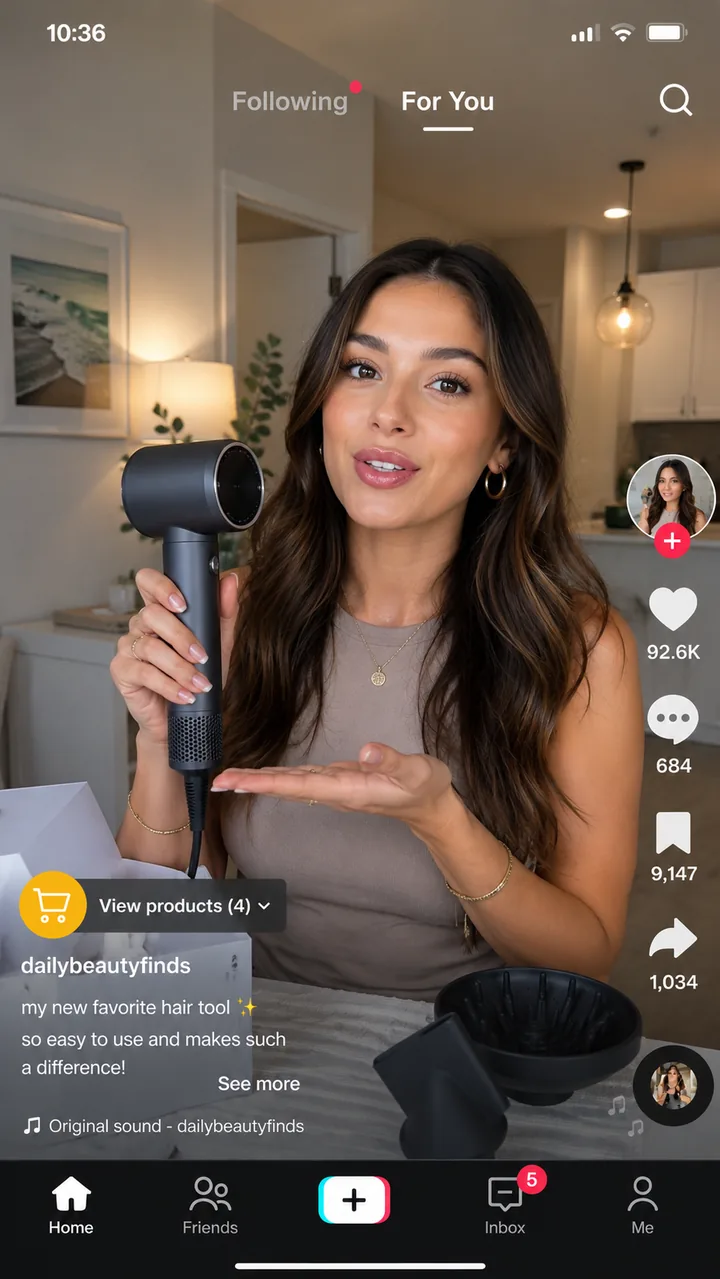
 Product proofReady to test
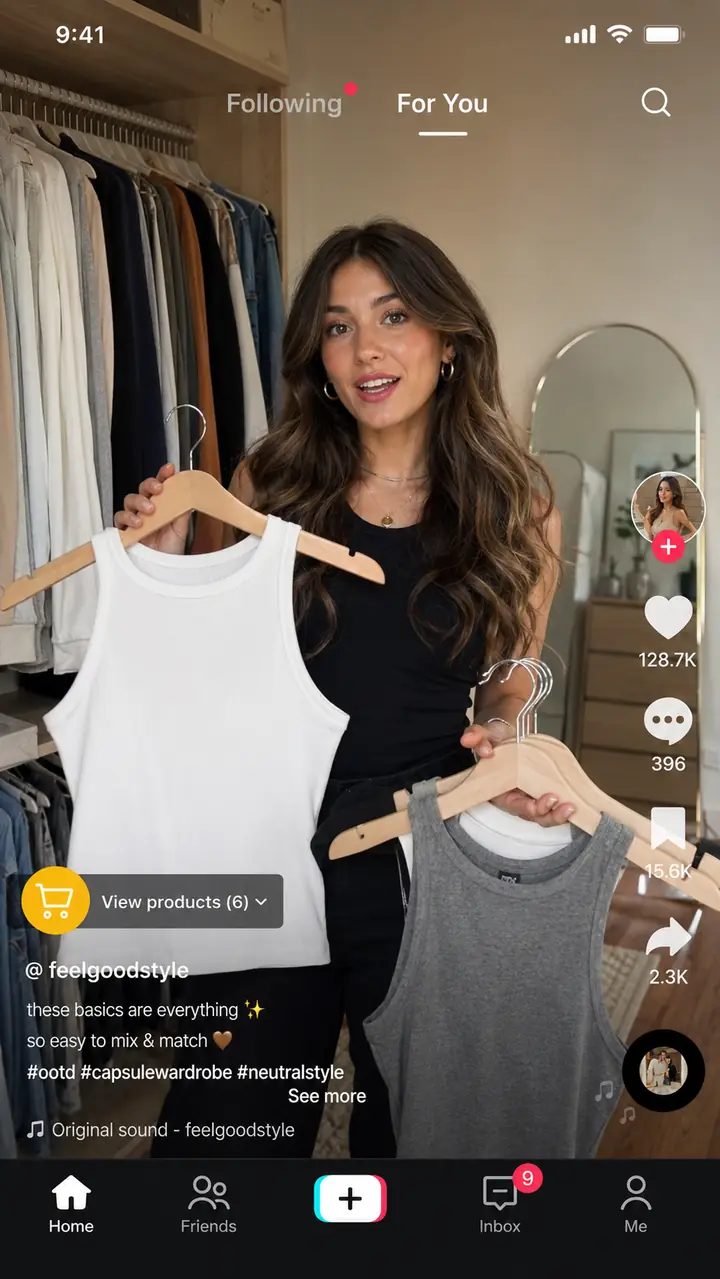 Risk signalReady to test